Understand your Unreal project's HTTP traffic.
Inspect requests, responses, timing, errors, headers, and JSON payloads directly inside Unreal Editor—without leaving your development workflow.
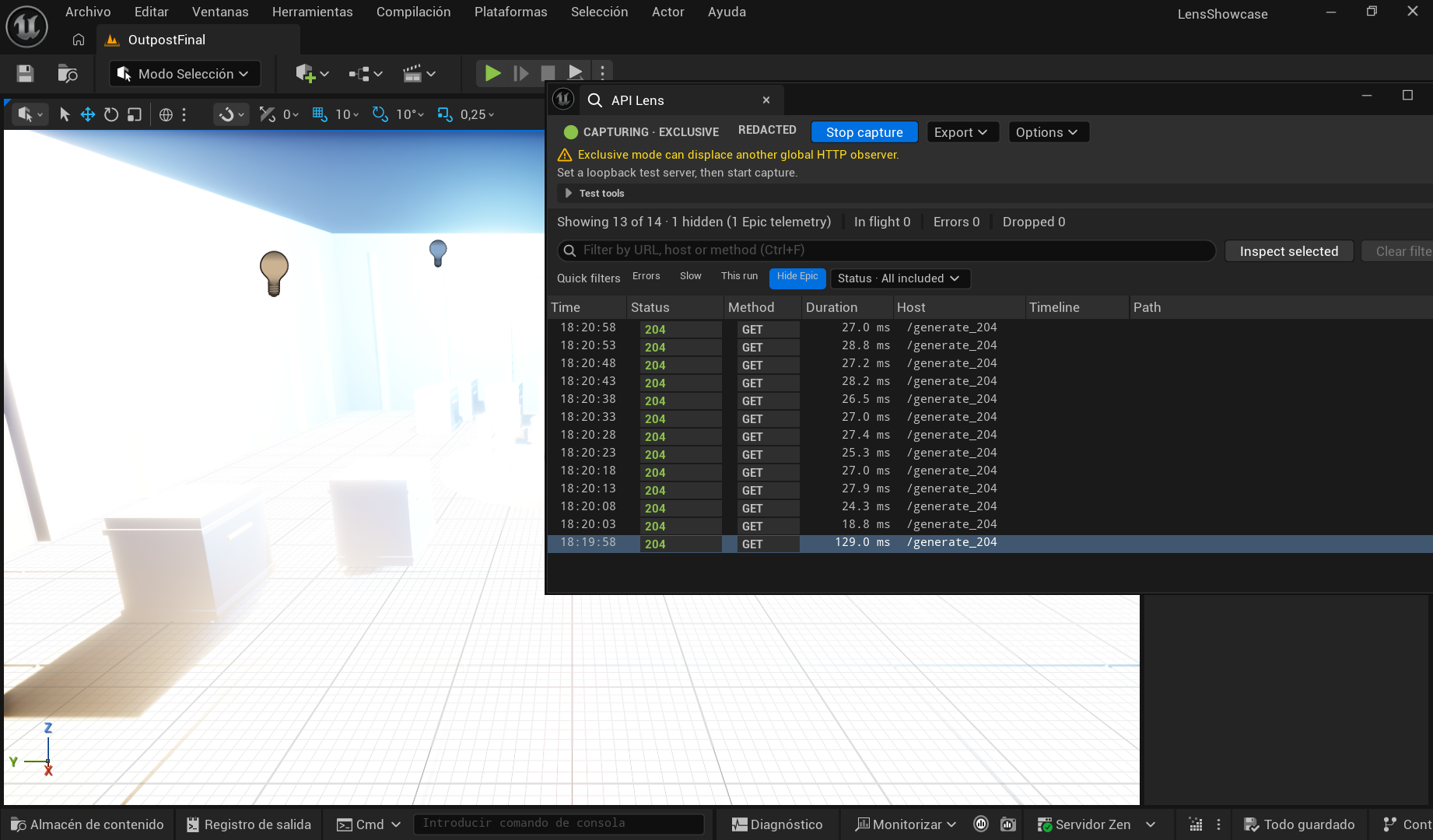
From request to answer in four moves
- InstallChoose the package matching your Unreal Engine minor version.
- CaptureStart explicit capture, then reproduce the behavior in PIE.
- InspectFilter traffic and examine status, timing, headers, and bodies.
- ActReplay safely, edit and resend, or export a reviewed record.
Built for the Unreal debugging loop
Find the request that matters
Search by URL, host, or method. Combine status, error, performance, telemetry, and current-PIE-session filters without losing the original history.
Read structured responses quickly
Move between Tree, Pretty, and Raw JSON views. Search keys and values, inspect captured headers, and compare timing across concurrent requests.
Carry evidence into another tool
Copy reviewed requests as cURL, PowerShell, or Unreal C++. Export visible records as HAR, CSV, or JSON when collaboration requires it.
Keep the capture boundary visible
Capture starts only when you ask. History stays bounded in memory, while recognized sensitive values in structured data are redacted by default. You can turn redaction on or off for new captures in Project Settings when debugging requires the original value.
Review data before sharing
Redaction reduces risk, but URL paths and free-form text may still contain private information. Read Privacy and redaction before sharing screenshots, clipboard content, or exports.
Choose your path
New to API Lens?
Follow Getting started to install the right package, enable the plugin, and inspect your first request.
Already capturing?
Use the User guide for filters, JSON inspection, replay, keyboard shortcuts, and export workflows.
Something is missing?
Check Troubleshooting for menu, capture, body, replay, and observer-conflict problems.
Evaluating the product?
Review Compatibility, the FAQ, and the API Lens Fab listing.
Need help?
Open a GitLab Work item with your API Lens version, exact Unreal Engine version, reproduction steps, and sanitized evidence. Never include credentials, tokens, private URLs, or unredacted payloads in a public report.